Meshy
Meshy is an AI‑driven platform that turns 2D visuals and textual prompts into ready‑to‑use 3D textures and models.
About this tool
Meshy focuses on simplifying the pipeline from flat visuals to three‑dimensional assets. Users can upload a 2D image or provide a descriptive prompt, and the system produces a 3D texture that can be applied to existing geometry. The service also supports direct generation of full 3D models from textual descriptions, expanding creative possibilities for rapid prototyping.
The platform integrates with Discord, allowing creators to submit jobs and receive results within a familiar chat environment. By handling both texture creation and model generation, Meshy reduces the need for separate tools, helping professionals meet tight production schedules.
What you can do
2D‑to‑3D Texture Conversion
Upload a raster image and Meshy automatically generates a corresponding 3D texture, ready for mapping onto any mesh. This conversion removes the manual steps of UV unwrapping and texture painting.
Text‑Driven Asset Generation
Provide a natural‑language prompt and receive either a 3D texture or a complete 3D model. The AI interprets descriptive language to produce geometry and surface detail that match the input intent.
Discord‑Based Workflow
Interact with Meshy through Discord commands, submitting assets and receiving finished textures or models directly in the chat. This integration streamlines collaboration for teams already using Discord for communication.
Who is it for?
- Game developers can quickly generate environment textures from concept sketches, accelerating level design and iteration.
- Product designers may turn hand‑drawn sketches into textured 3D prototypes, enabling rapid visualization without CAD expertise.
- Digital artists can expand 2D illustrations into immersive 3D scenes by converting their artwork into textured models for VR or AR experiences.
Before you choose
Check how Meshy handles intellectual property when converting copyrighted images or prompts; clarify ownership of generated assets.
Assess whether the Discord integration aligns with your team's security policies and whether alternative submission methods are needed.
Frequently asked questions
What file formats does Meshy accept for input images?
Meshy accepts common raster formats such as PNG, JPEG, and BMP for 2D‑to‑3D texture conversion. The system processes these files directly from Discord uploads.
Can the generated 3D models be exported for use in standard 3D software?
Yes, the models produced from text prompts are output in widely supported formats like OBJ or GLTF, allowing direct import into tools such as Blender, Unity, or Unreal Engine.
Is there a way to control the style or level of detail of the textures?
Users can influence style by refining their textual prompts or by providing reference images that guide the AI's interpretation, giving some degree of control over the resulting texture appearance.
Check the official website for current features, pricing, and terms.
Similar tools
Alpha3D
Image & DesignAlpha3D converts flat visual assets or textual descriptions into three‑dimensional models, supporting designers, developers and businesses that need ready‑to‑use 3D content for AR, VR and metaverse projects.
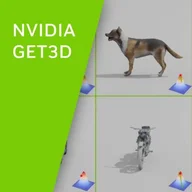
Nvidia GET3D
Image & DesignNvidia GET3D is a generative 3D research model that produces textured meshes, with separate geometry and appearance representations trained from image-based evidence.
DALL·E
Image & DesignDALL·E is an AI system that creates visual content from textual prompts and can edit or vary existing images. It serves artists, designers, content creators, researchers, and businesses seeking rapid visual generation.
Sea Art AI
Image & DesignSea Art AI is a generative platform that turns textual prompts, existing images, or search queries into new visual artwork.
Scribble Diffusion
Image & DesignScribble Diffusion is an AI‑driven art creation tool that turns simple doodles, text prompts, or existing photos into refined images, graphics, or enhanced artworks.
Getimg
Image & DesignGetimg provides a suite of AI‑driven tools that turn textual prompts, existing pictures, or conceptual ideas into visual assets.