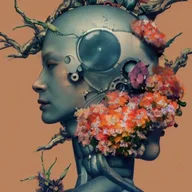
Mage Space AI
The service focuses on creative transformation rather than data extraction, offering a straightforward set of media‑to‑media operations.
About this tool
Mage Space AI serves as a generative platform where users can input a textual description and receive a corresponding image, supporting the early stages of concept development for visual projects. By handling the conversion from language to picture, it reduces the time needed to produce mock‑ups or mood boards.
Beyond generation, the system offers direct image editing, GIF conversion, and the ability to mix several source images into a single output. These capabilities let creators refine existing work, produce animated assets, or experiment with hybrid visual ideas without leaving the same interface.
What you can do
Text‑to‑Image Generation
Enter a natural‑language prompt and receive a newly created image that reflects the described scene, style, or subject, supporting rapid visual brainstorming.
Image Editing
Upload a picture and apply AI‑driven modifications, allowing adjustments such as style changes, element removal, or enhancement while preserving the original composition.
GIF Conversion & Remix
Transform a static image into an animated GIF or combine multiple images into a single blended output, enabling creators to produce dynamic or composite visuals.
Who is it for?
- A photographer can generate concept images from a shoot brief, then edit the results to match lighting or composition preferences before the actual photo session.
- An artist can experiment with different visual styles by describing a scene, then remix several generated images to create a unique collage for a gallery piece.
- A designer can produce quick GIF prototypes of UI animations by converting static mock‑ups, speeding up client presentations and feedback cycles.
Before you choose
Users should verify that generated content complies with any copyright or licensing requirements for the intended commercial use.
The platform does not list specific integration points, so teams may need to handle file export and import manually when incorporating outputs into other tools.
Frequently asked questions
What file formats can I upload for image editing?
Mage Space AI accepts standard image files such as JPEG and PNG for its editing function. The system processes each upload and returns a modified image in the same format, allowing direct integration with typical design workflows.
Can I control the style of the generated image from a text prompt?
The AI interprets descriptive language to influence visual style, but precise control over parameters like color palette or brushstroke intensity is limited to the detail provided in the prompt.
Is there a limit to how many images I can remix at once?
The remix feature accepts multiple images in a single request, though the exact maximum number of inputs is not specified in the available documentation.
Check the official website for current features, pricing, and terms.
Similar tools
DALL·E
Image & DesignDALL·E is an AI system that creates visual content from textual prompts and can edit or vary existing images. It serves artists, designers, content creators, researchers, and businesses seeking rapid visual generation.

Sea Art AI
Image & DesignSea Art AI is a generative platform that turns textual prompts, existing images, or search queries into new visual artwork.

Midjourney AI
Image & DesignMidjourney AI creates visual content from textual prompts, enlarges existing images, and blends multiple pictures into new compositions.
Avatar
Image & DesignAvatar AI is a creative platform that transforms photos and images into edited visuals, animated avatars, videos, and re‑faced pictures, supporting photographers, creators, and everyday users.

Photoleap AI
Image & DesignIt targets photographers, designers, and other visual creators who need quick, on‑device enhancements without desktop software.

Booth AI
Image & DesignBooth AI is a web‑based tool that transforms textual prompts into high‑resolution images, supporting both direct generation of new visuals and editing of existing ones for retailers and designers.