Photoleap AI
It targets photographers, designers, and other visual creators who need quick, on‑device enhancements without desktop software.
About this tool
Photoleap AI delivers a range of AI‑assisted visual transformations directly on smartphones. Users can filter and edit images, replace backgrounds, and add new objects, all within a touch‑optimized interface that runs on iOS and Android platforms.
Beyond static edits, the tool can interpret textual prompts to produce sketch‑style images, animate existing photos to create motion effects, and combine multiple photos into collages, expanding creative possibilities for mobile creators.
What you can do
AI Filtering and Object Addition
The edit function applies intelligent filters to improve image quality and enables users to insert new objects while automatically handling background integration.
Text‑Driven Sketch Generation
By entering descriptive text, the convert capability produces sketch‑style images, allowing creators to visualize concepts without manual drawing.
Motion Animation of Still Images
The animate feature adds motion to static photos, generating animated outputs that can be shared as short videos or GIFs.
Who is it for?
- A photographer can quickly enhance client portraits, replace distracting backgrounds, and add props to match a shoot’s theme.
- A graphic designer can turn a brief textual description into a sketch, then incorporate that sketch into a larger layout or presentation.
- A social‑media creator can animate product photos to produce eye‑catching clips for stories or ads, increasing viewer engagement.
Before you choose
Performance may vary across different iOS and Android devices, especially when processing high‑resolution images or complex animations.
The extent of AI‑generated content accuracy depends on the clarity of input text and the visual context of the source image.
Frequently asked questions
What file formats can Photoleap AI import and export?
Photoleap AI accepts common image formats such as JPEG and PNG for editing, and it outputs edited or animated results in the same formats, with animated images typically saved as GIF or MP4 depending on the device’s capabilities.
Can I use Photoleap AI for commercial projects?
The tool is designed for creators of all levels, and output files can be used in commercial work, but users should verify any licensing terms associated with the app before distributing final assets.
How does the text‑to‑sketch feature handle ambiguous prompts?
When a prompt lacks detail, the AI generates a generic sketch based on common visual interpretations; refining the description usually yields more accurate results.
Check the official website for current features, pricing, and terms.
Similar tools
Avatar
Image & DesignAvatar AI is a creative platform that transforms photos and images into edited visuals, animated avatars, videos, and re‑faced pictures, supporting photographers, creators, and everyday users.

Motionleap
Image & DesignMotionleap is an AI‑driven mobile app that converts static images into animated cinemagraphs.
Magic Studio
Image & DesignUsers can upload a photo and apply editing functions, such as adjusting composition or color, while the system outputs a revised image.
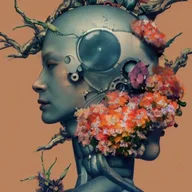
Mage Space AI
Image & DesignThe service focuses on creative transformation rather than data extraction, offering a straightforward set of media‑to‑media operations.
Image Labs
Image & DesignImage Labs offers AI‑driven image editing tools that let beginners and artists modify pictures through simple text prompts or reference photos.
Scribble Diffusion
Image & DesignScribble Diffusion is an AI‑driven art creation tool that turns simple doodles, text prompts, or existing photos into refined images, graphics, or enhanced artworks.